| Printer Setup | 
|

|

|

|

|

|
 How to Access
|
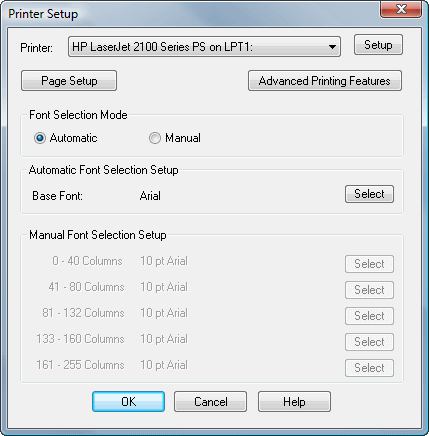
The Printer Setup window is displayed after selecting the Print Setup menu option or clicking the Setup button in the Print dialog box at print time. This window can be used to configure the various Windows printers that will be used by the workstation. Configuration includes specifying the default fonts, page margins, and advanced printing features for each Windows printer that will be used.
Note: The same fonts are used for both printing and previewing. The software supports proportional fonts and fixed pitch fonts.
The OK button will save any changes made in this dialog box to the STI.INI file.
The Cancel button will cancel any changes made in this dialog box and no changes will be saved to the STI.INI file.
Click on the areas of the window shown below where  appears for additional help.
| See also: | Troubleshooting when Printing |
| Fonts Overview | |
| Default Printer |
 ) are registered trademarks of Software Technology, LLC.