| Print Dialog Box | 
|

|

|

|

|

|
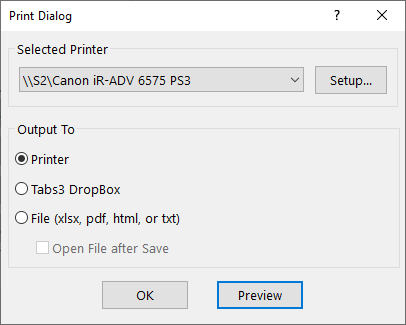
The Print dialog box allows you to choose the desired output device. The report's name will be displayed on the title bar of the dialog box. The default output option is the last output option selected by the workstation in any of the software. Output options include:
Click on the areas of the window shown below where  appears for additional help.
Tabs3 Note: When printing final statements in Tabs3 Billing, the first option in the Generate Statements Print Dialog will be Printer/Email Statements Window; whereas the first option when running draft statements will be Printer. This visual cue helps to remind you that email statements will not be created when running draft statements.
 ) are registered trademarks of Software Technology, LLC.